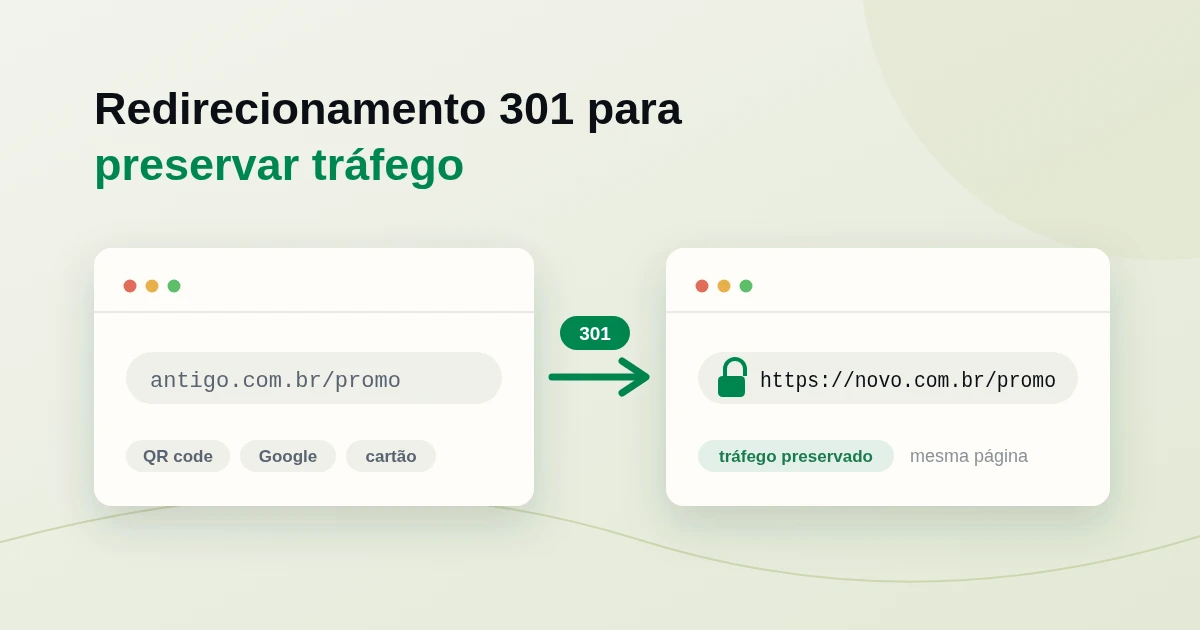
301 redirects that keep your traffic
When to use a 301 redirect, how to keep URLs, parameters and SEO through a migration, and why HTTPS stops errors on the way to the destination.
The old address keeps getting visits
An old domain on a business card, a URL saved in Google or a QR code already in print doesn't stop existing because your site moved. A 301 redirect takes that visit to the new address permanently, instead of turning every old click into an error page.
It looks simple, and it should be. But a badly planned setup can drop campaign parameters, create redirect chains, show security warnings or send people to a generic page. If you rely on organic traffic, paid media, shared links and printed material, the right destination has to keep working before, during and after the move.
What a 301 redirect is
The HTTP 301 status code tells browsers, search engines and other tools that a URL has moved permanently. Instead of answering with a page, the server answers with an instruction: go to this other address.
The visitor reaches the content they expected, and search engines get a consistent signal about the move.
"Permanent" doesn't mean you can never change the destination. It means that's the current decision for that URL. If the domain or page needs to point somewhere else later, the redirect can be updated. That's especially useful for campaigns, link pages and QR codes on packaging, at events or in print ads.
When a 301 makes sense
The most common case is a domain migration. A company renames its brand, buys a better extension or merges sites built at different times. Without redirects, old links start leading to 404 errors. With a well-configured rule, each visit goes to the matching page on the new address.
A 301 is also used to set the main version of a site: choosing between the www and non-www versions, or sending HTTP to HTTPS. That cuts duplication and stops visitors from finding different versions of the same page.
Then there are straightforward business uses. A short domain can point to a long landing page. An address that's easy to say on a podcast can lead to an offer page. A domain kept for a campaign can keep the path and take people to a specific area of the main site.
Not every change needs a 301. If the destination is temporary, like brief maintenance or a campaign test, a 302 or 307 signals a temporary move. And for pages removed with no real replacement, sending everything to the home page just to avoid errors confuses people. The best redirect respects what the person who clicked wanted.
Keeping the path and parameters avoids silent losses
Redirecting only the domain solves part of the problem. Keeping the path and parameters solves the part that usually costs traffic and data.
The path is the part after the domain. If someone opens /contact on the old domain, ideally they land on /contact on the new one, when that page exists. Sending every visit to the home page adds friction: the visitor has to look again for what they had already found.
Parameters are information attached to the URL, usually after a question mark. They identify a campaign source, an ad variation, an affiliate, a promo code or an internal reference. A link with ?utm_source=whatsapp&utm_campaign=launch shouldn't lose that information on the way.
This matters for marketing and operations. Without parameters, a sale can show up as direct traffic in your reports. Without the path, a page indexed for years starts sending visitors to a screen unrelated to what they searched for. Keeping both saves rework and keeps your numbers closer to reality.
In Redirect-301, the Path and parameters option does exactly this, and it's on by default for every new redirect.
HTTPS is not a detail in a 301 redirect
Many people set up the destination and forget a decisive point: the source domain also has to answer correctly over HTTPS. If someone opens an old URL with https://, the browser needs a valid certificate before it accepts the redirect.
Without one, the visitor sees a security warning before they even reach the destination. It doesn't matter that the 301 rule is right on the other side: the journey breaks on the first request.
That's why running redirects on your own domains usually takes more than creating a rule. There's DNS, the SSL certificate, renewals, uptime and monitoring. Doing it all on your own server works for teams with infrastructure and a technical routine. For most businesses, though, it's a task that shouldn't exist.
With Redirect-301, setup comes down to one DNS record, and the Let's Encrypt certificate is issued and renewed automatically. No server to run, no certificate to renew and no manual change every time a domain takes on a new role.
How to set it up without a chain of errors
- Map the migration. Don't start with a catch-all rule if the site has important pages, active campaigns or URLs with search history. List the addresses that get visits, backlinks or traffic from ads and published material.
- Choose the kind of rule. In a simple migration, the old domain points to the new one and keeps paths and parameters. In other cases, all traffic should go to one specific page, like a new company page or a link page.
- Point the DNS as your redirect service tells you to. Once it has propagated, the HTTPS certificate must be active and the rule must answer with a 301. The DNS update and the first certificate can take a little while: don't switch off the old domain before testing.
- Test for real, in a private window and with an HTTP status checker. Try with and without www, over HTTP and HTTPS, inner pages and URLs with parameters. Ideally you reach the final destination in a single hop.
Avoid four common problems:
SEO: what a 301 keeps and what it doesn't fix alone
A 301 redirect is the correct technical signal for a permanent URL change. It helps search engines understand how the old and new addresses relate, and it keeps the external links you earned over time working.
But it doesn't replace a well-run migration. If the new site changed its content completely, removed important pages or got slower, organic performance can swing. The redirect carries over the address's context; it doesn't fix content, indexing or experience problems. See also how to change domain without losing SEO.
It's also worth updating the links you control: social profiles, email signatures, campaigns, directories, digital material and the new site's internal links. The 301 catches people who arrive at the old address, but linking straight to the current URL saves hops and is easier to maintain.
On bigger sites, watch crawl errors, top pages and conversions in the weeks after the migration. On a campaign domain or link in bio, watch clicks and sources. The rule is the same: a redirect shouldn't be a black box. You need to be able to check it.
Turn old domains into active channels
A domain doesn't have to sit idle after a rebrand. It can keep sending traffic to a new site, a link page, a seasonal offer or a specific campaign. If you have QR codes or short links out in the world, being able to change the destination without reprinting anything is a clear advantage.
The key is staying in control: pick the destination based on the context, keep what the visitor brought in the URL and make sure HTTPS works from the source. To get started, add your domain in the Redirect-301 dashboard and follow the configuration guide.
Keep reading
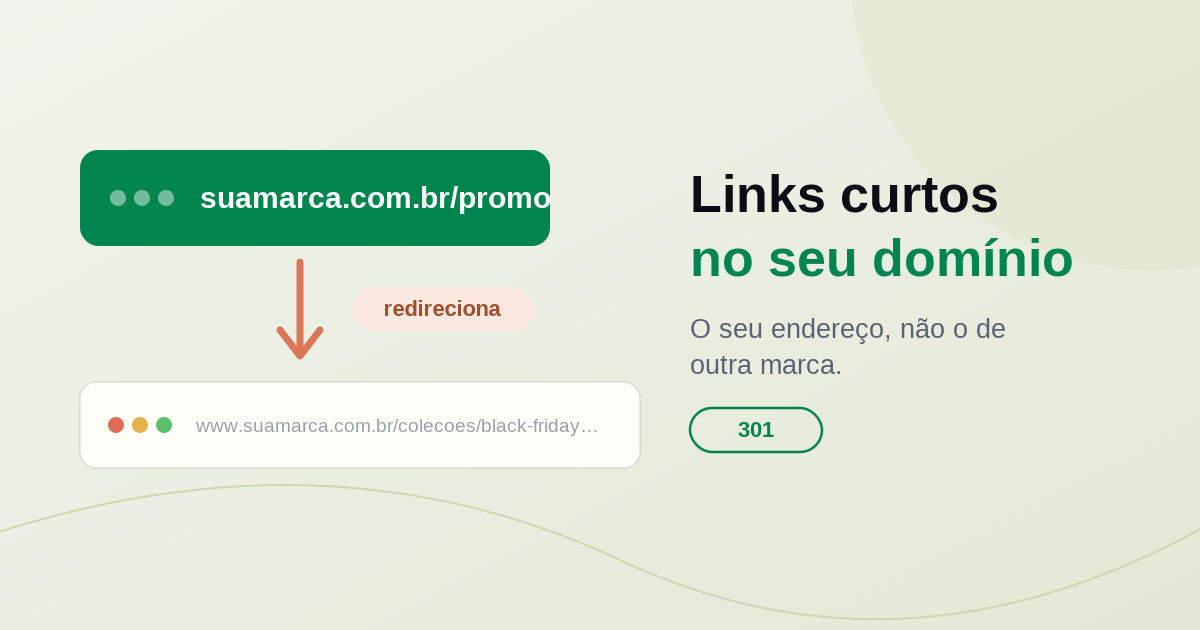
URL shortener on your own domain: how to create short links
A URL shortener on your own domain: create branded short links with HTTPS and per-link stats, and see how it differs from bit.ly.
Loja Integrada store fails without www? Why HTTPS breaks and how to fix it
Store opens with www, but https://yourstore.com.br shows an error? Why it happens on Loja Integrada and how to fix it for good, without touching the store.
VTEX store without www: how to set up a redirect
Your VTEX store opens with www but fails without it? Learn why and set up an HTTPS redirect while keeping your working store address.
Need help?
Feel free to reach out to us with any questions. We're here to help! Scan the QR code or click the button below to join our WhatsApp group.
Open WhatsApp →