URL shortener on your own domain: how to create short links
A URL shortener on your own domain: create branded short links with HTTPS and per-link stats, and see how it differs from bit.ly.
A short link doesn't have to carry someone else's name
You need to share an address in a story, on a business card, on packaging or in a WhatsApp message. The real URL is long: it has the category path, the campaign code and that trail of ?utm_source=... at the end. Nobody types that. The usual fix is to drop the link into a free shortener and share something like bit.ly/3xYz9.
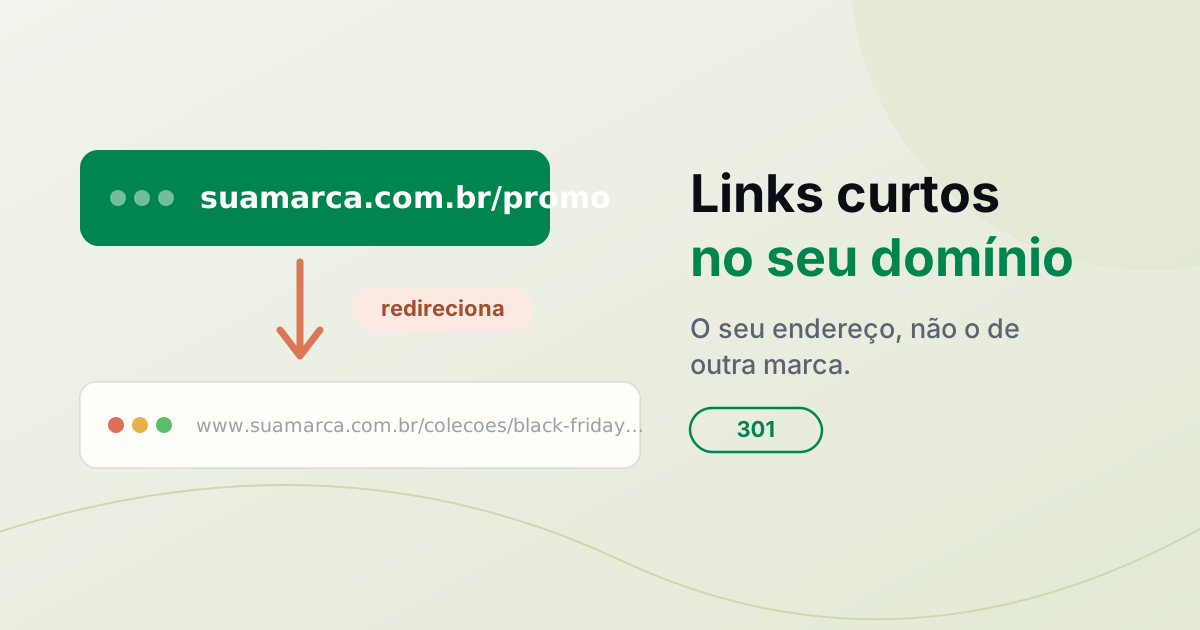
It works, but the address you hand out now carries another company's name, not yours. You end up depending on a third-party service for a link that represents your brand, and if that service changes its rules or goes down, the printed address stops working. You can solve this by shortening on your own domain: yourbrand.com/promo instead of bit.ly/3xYz9.
What a short link on your own domain is
A regular shortener creates a short address on a shared domain (bit.ly, whatever shortener is popular) and, when someone clicks, redirects to the long URL. A short link on your domain does exactly the same thing, except the short address lives under the domain you already use. Instead of a third-party domain, whoever clicks sees yours.
Under the hood, each short link is an HTTP redirect: the browser asks for yourbrand.com/promo, the service answers "go to this other URL", and the browser opens the destination. It's the same mechanism as a 301 or 302 redirect, applied to one specific path instead of the whole domain.
This isn't a free shortener on a shared domain. To shorten on your domain, you need a domain of your own and access to its DNS. In return, the address is entirely yours: no third-party brand in the link.
Free shortener or your own domain?
| Free shortener | Short link on your domain | |
|---|---|---|
| Address | Third-party domain (bit.ly/…) | Your domain (yourbrand.com/…) |
| Trust | Many people distrust shortened links | The visitor recognizes your brand |
| Need a domain? | No | Yes, a domain of yours with DNS |
| Control | Depends on the service's rules | You change the destination whenever you want |
| Cost | Free for the basics | Included in your Redirect-301 plan |
Neither is always "better". For a one-off link, with no brand intent, a free shortener does the job and costs nothing. Your own domain pays off when the link will carry your brand, go into a paid campaign or be printed: that's when the address people see matters.
When a short link on your domain is worth it
How to create a short link in Redirect-301
In Redirect-301, a short link is a custom path inside a domain you already have in the service. If the domain isn't there yet, first add the domain redirect (see how to redirect a domain without buying hosting) and point DNS. With the domain live, create the short links like this:
- Open the Redirect-301 dashboard and open the redirect for the domain that will host the links.
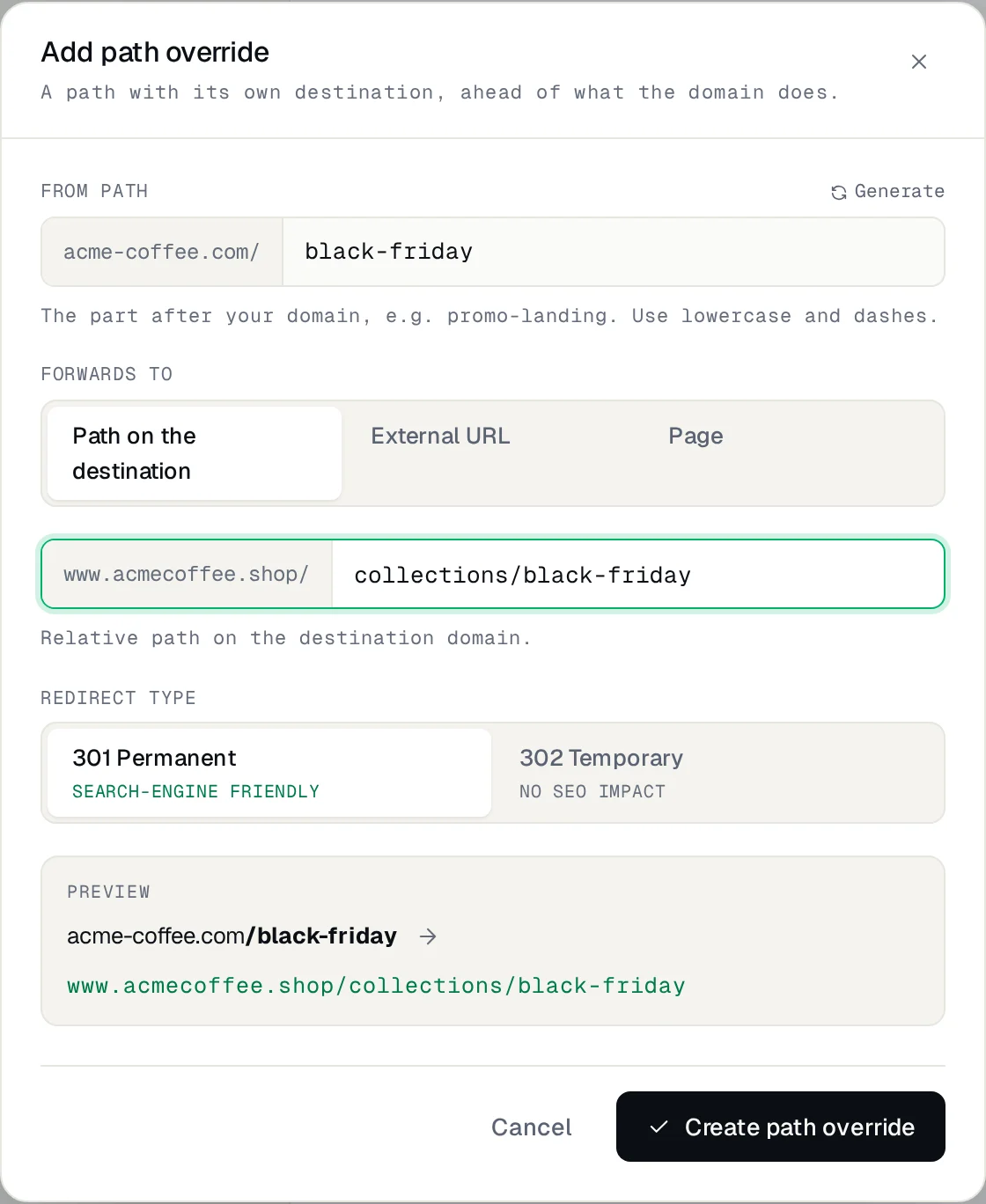
- In the Redirect section, click Add path override.
- Under Path, type the short part after the domain, like
promo. Prefer a random code? The Generate button makes one, likeyourbrand.com/a0xicop— a classic shortener code, but on your own domain. The path is not case-sensitive. - Under Forwards to, enter the destination: a path on your site, or tick External URL to point anywhere.
- Choose the type: 301 for a permanent link, or 302 for a destination that will change (a campaign, for example).
- Save. The link already works over HTTPS, with the same certificate as the domain.
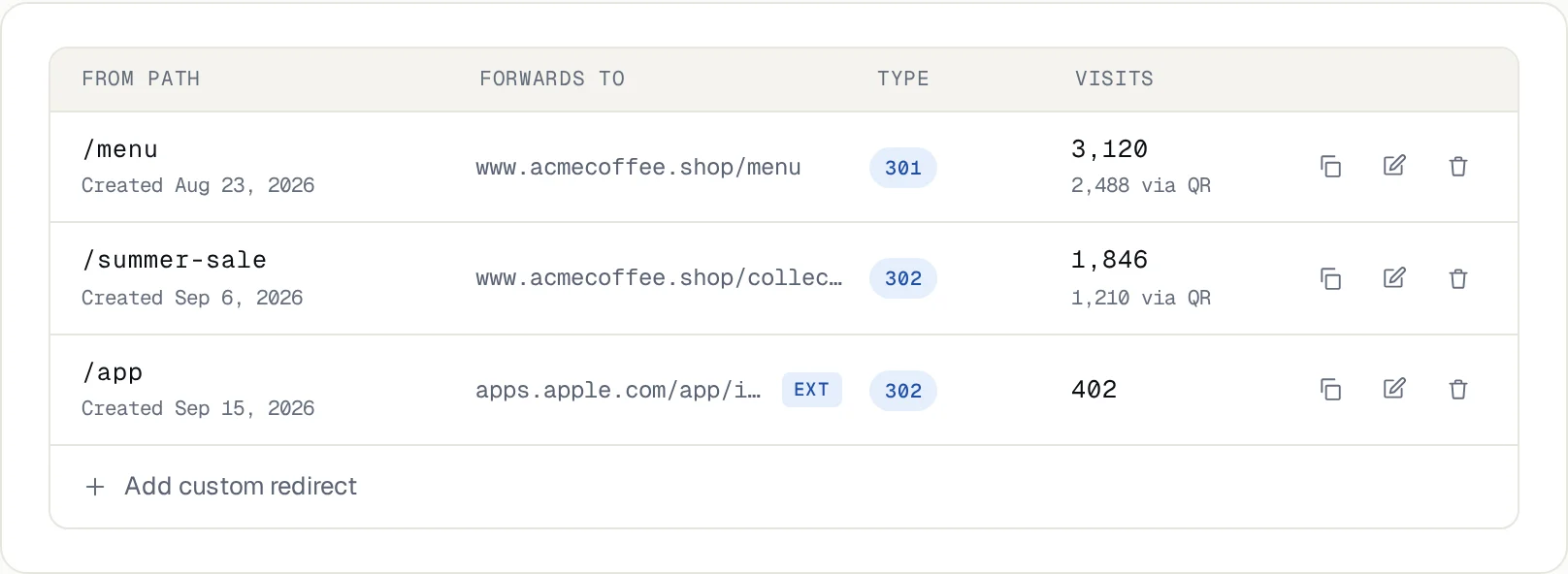
Custom paths are unlimited on every plan, so you can create as many links as you need. Each one shows up in the domain's list, with its destination and visit count.
Want an address dedicated to links? Create a short subdomain like go.yourbrand.com or link.yourbrand.com, add it as a redirect and use its paths. It's the same go.yourbrand.com other shorteners ask for, just on your own domain.
Good practices for short links
Frequently asked questions
How do I shorten a URL with my own domain?
Add your domain to a redirect service, point its DNS, and create a short custom path (like /promo) that points to the long URL. The service redirects every visit to the destination. That's the step-by-step above.
Do I need hosting to have short links?
No. You need a domain of your own and access to its DNS. You don't need to buy hosting or run a server just for the links.
Do short links cost extra?
In Redirect-301, custom paths are unlimited on every plan, with no charge per link. The cost is the plan's, which already includes the domain redirect.
Can I change where a short link points after sharing it?
Yes. Just edit the path's destination. The short address stays the same, so already-printed material and sent messages keep working.
Can I use a subdomain like go.yourbrand.com just for links?
Yes. Add the subdomain as a redirect, point its DNS and create the short paths on it. It's the equivalent of the go.yourbrand.com traditional shorteners use, except on your own domain.
Do short links expire?
They don't expire on their own. They work as long as the domain is active and the redirect stays in the service. If you leave Redirect-301, the links stop, like with any shortener; but the domain is yours, so you just point it elsewhere. You remove a link whenever you want.
Can it generate a random code like bit.ly?
Yes. The Generate button on the path field creates a short random code (something like a0xicop), handy when you'd rather have a link that doesn't reveal the content. For links you promote, a readable path like /promo usually works better.
Can I see how many people clicked?
Yes. Each path shows its visit count, so you can compare the channels where you shared the link.
Short links with your brand on them
If you already have a domain, use it to shorten your links instead of relying on a third-party address. Create the custom paths in the Redirect-301 dashboard and see the step-by-step with screenshots in the configuration guide.
Keep reading
Loja Integrada store fails without www? Why HTTPS breaks and how to fix it
Store opens with www, but https://yourstore.com.br shows an error? Why it happens on Loja Integrada and how to fix it for good, without touching the store.
VTEX store without www: how to set up a redirect
Your VTEX store opens with www but fails without it? Learn why and set up an HTTPS redirect while keeping your working store address.
How to redirect a domain without buying hosting
Redirect one domain to another website or URL over HTTPS, without buying hosting. See the options, what to keep active, and how to set up DNS.
Need help?
Feel free to reach out to us with any questions. We're here to help! Scan the QR code or click the button below to join our WhatsApp group.
Open WhatsApp →