Loja Integrada store fails without www? Why HTTPS breaks and how to fix it
Store opens with www, but https://yourstore.com.br shows an error? Why it happens on Loja Integrada and how to fix it for good, without touching the store.
It opens for you, but not for your customer
You printed yourstore.com.br on the shopping bag and put it in your Instagram bio and your ads. You tested it on your phone and the store opened. A few days later a customer writes: "I tried to open your site and got a security error". You test again and it opens. It looks like a problem that comes and goes.
It isn't. On Loja Integrada, the domain without www works one way and fails another, and the difference is a detail store owners rarely see: the https:// at the start of the address. Whoever arrives that way sees "Your connection is not private" instead of the store. And most people don't click "proceed" on a security warning: they close the tab and buy somewhere else.
This guide explains why it happens, why your own test can mislead you, what Loja Integrada itself recommends, and how to fix it for good without touching the store or the checkout.
What works and what fails
The Loja Integrada help center describes the behavior like this, for a store set up with www:
| Address | Result |
|---|---|
| www.yourstore.com.br | ✅ Opens the store |
| https://www.yourstore.com.br | ✅ Opens the store |
| yourstore.com.br or http://yourstore.com.br | ✅ Goes to www |
| https://yourstore.com.br | ❌ May show an error or load slowly |
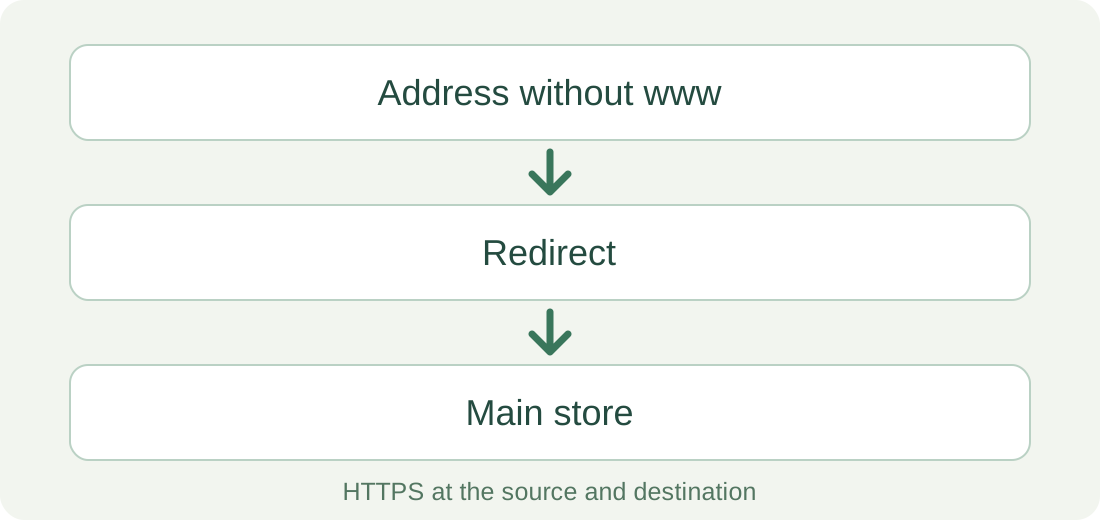
In other words, Loja Integrada answers for the domain without www, but only through the insecure door (HTTP). Through the secure door (HTTPS), which browsers and links use more and more, the address without www gets no proper answer. In the platform's own words, its SSL setup is "optimized to work with the www format".
Why HTTPS fails without www
HTTPS is the padlock connection. Before showing anything, the browser asks the site for a certificate: a digital document proving that this server really owns this name. Each certificate covers specific names. A certificate for www.yourstore.com.br doesn't cover yourstore.com.br, just as one person's badge doesn't work for someone else.
Picture a building with a doorman. A visitor arrives at the wrong entrance (the domain without www) and needs to be sent to the right one (www). Over HTTP, the doorman just points the way, and Loja Integrada does that. Over HTTPS, the doorman must show a valid badge before saying anything. If the badge doesn't name that entrance, the browser stops the visit right there, and the redirect to www never happens.
That's why the main store's certificate doesn't solve it: it covers the destination, not the entrance. For the address without www to work over HTTPS, something has to answer for it with its own certificate and then send the visitor to www with a 301 redirect, the code that tells browsers and Google that the right address is another one, permanently.
Why "it opens on my phone" proves nothing
The result depends on how the person reaches the address, and your own test usually takes the path that works:
Loja Integrada itself notes that modern browsers often try www on their own, but that this "isn't always guaranteed". To see what your customer sees, test the exact address with https:// in a private window.
In the meantime: use www everywhere
The temporary fix Loja Integrada recommends is free and worth adopting anyway: always publish the full address with www, in email campaigns, social media, ads, printed material and signatures.
It fixes what you control from now on. It doesn't fix what's already out there: the printed bag, the business card, the link a customer saved or shared, and above all what people type from memory. Almost nobody types "www". For those cases, the address without www has to work over HTTPS.
The permanent fix: a 301 redirect with HTTPS
For a permanent fix, Loja Integrada says to set up a 301 redirect with an external service and names two options: Redirect-301 and Cloudflare. The platform notes that it doesn't provide technical support for setting up these services. These are the alternatives, and what each one asks of you:
| Option | Cost | What it takes |
|---|---|---|
| Redirect-301 | Subscription | Change one DNS record. The entrance certificate is issued and renewed automatically, and the rest of the DNS stays where it is. The same dashboard also gives you custom paths, editable QR codes, visit statistics and Pages. |
| Cloudflare | Free for the basics | Move the domain's whole DNS to Cloudflare, turn on the proxy (the orange cloud) and create a redirect rule. |
| Your own server (nginx, Apache) | A dedicated server costs about US$ 5 to 20 a month, plus maintenance time | Keep a server running, configure the redirect and renew the entrance certificate. |
| Your domain provider's forwarding | Usually included | Check whether the provider serves the source address over HTTPS. Many forward over HTTP only, which repeats the problem. |
If you already use Cloudflare or have someone who runs servers, use what you have. The choice comes down to who will look after it a year from now, when the certificate needs renewing.
You may not need anything: if the domain is only there for the brand, nobody types it without www and you have no printed material with it, publishing the www address may be enough.
How to fix it with Redirect-301
The idea is to change only the entrance without www. The www address keeps pointing to Loja Integrada as it does today, so the store, the checkout and your email aren't affected. You'll edit the DNS, which works like the internet's contact list: it says which server each name points to. It's in the panel where you registered the domain (Registro.br, GoDaddy, Hostinger…), or in Cloudflare if your DNS lives there.
| Name | Type | Before | After |
|---|---|---|---|
| @ (no www) | A | Loja Integrada's IP | 18.215.89.131 |
| www | CNAME | yourstore.com.br.cdn.loja.li | yourstore.com.br.cdn.loja.li |
An A record links a name to a numeric address (IP). A CNAME is an alias pointing to another name; that's how www reaches Loja Integrada. The other records, such as your email ones, stay as they are too.
- Before changing anything, take a screenshot of your current DNS records.
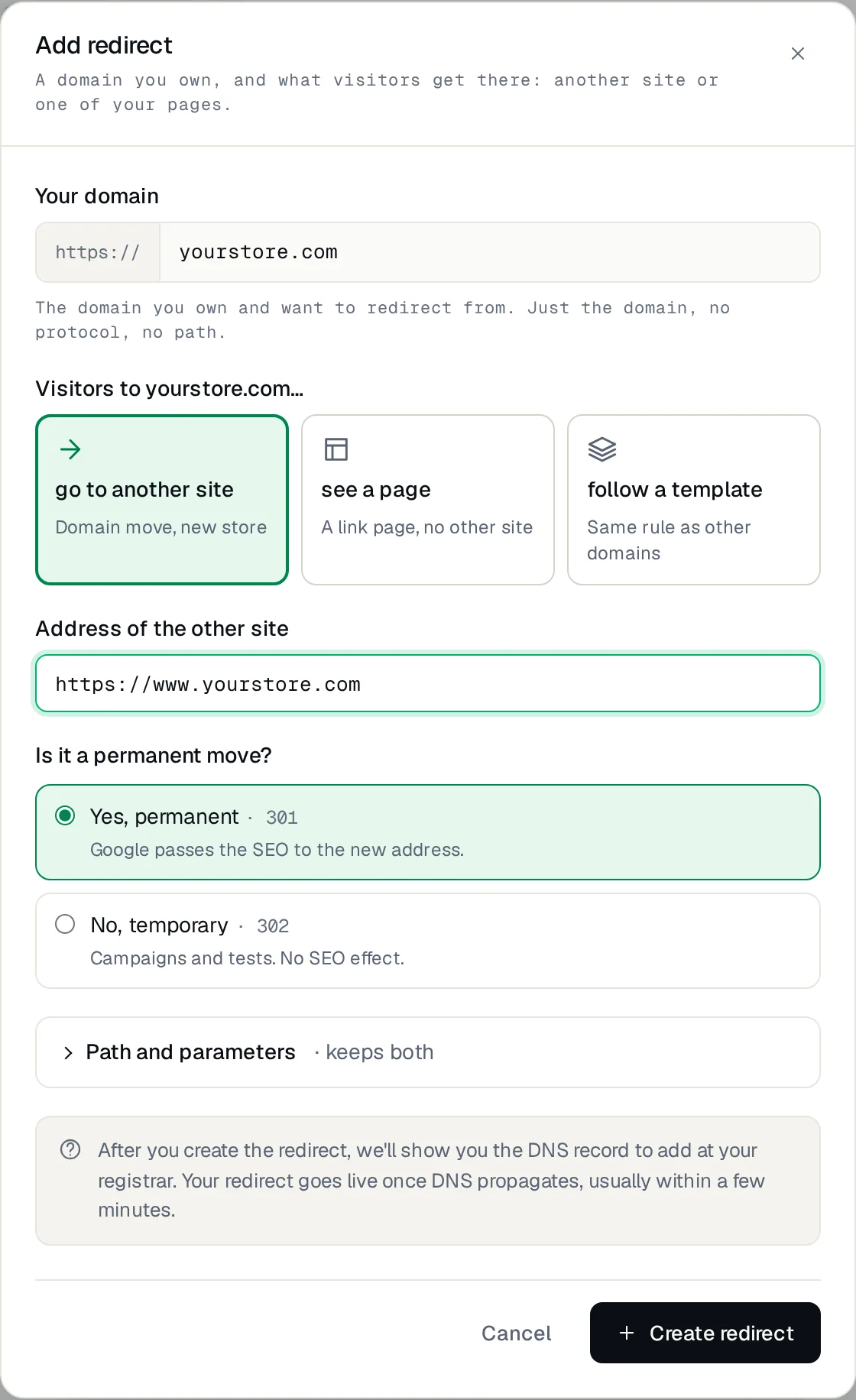
- In the Redirect-301 dashboard, add yourstore.com.br as the source, without https:// and without www, and choose go to another site.
- Enter https://www.yourstore.com.br as the destination and answer Yes to Is it a permanent move? (301).
- Keep Path and parameters on. That way yourstore.com.br/blue-bag goes to www.yourstore.com.br/blue-bag, not to the home page.
- In the DNS, edit the A record named @ (sometimes shown empty or as the domain itself) and replace the value with 18.215.89.131, the Redirect-301 IP that the dashboard also shows. If there's another A or AAAA record with the same name, delete only that one.
- Don't touch the www CNAME or the email records. If your DNS is on Cloudflare, set that A record to DNS only (grey cloud).
- Wait for the dashboard to confirm the DNS and issue the certificate. Propagation, the time it takes for the change to reach every internet provider, usually takes from minutes to a few hours.
How to confirm it's fixed
In a private window, on a computer and on a phone, test the same addresses as in the table at the start. They should all end at the www store with a padlock, and a product link should open that product:
If you use a terminal, curl -I shows the response without any browser cache. The first line should be 301 and location the www address:
$ curl -sI https://yourstore.com.br/blue-bag | grep -iE "^(HTTP|location)"
HTTP/2 301
location: https://www.yourstore.com.br/blue-bag
If you get a certificate error, the DNS hasn't propagated yet or an old A record with the same name is still there. If the product returns 404 on www too, the problem is the product URL in the store; a redirect can't bring back a page that was removed.
What if I have another domain, like .com?
Many stores also register yourstore.com or a variation of the name to protect the brand. It's the same case: an entrance that has to answer over HTTPS and lead to the store. Add it as another source with the same destination and change that domain's A record the same way. If the store never used that domain, there's nothing from Loja Integrada to keep on it, apart from email if you have it.
yourstore.com.br, yourstore.com and www.yourstore.com are different names: each one you want to cover is a source and uses one redirect of your plan. www.yourstore.com.br doesn't count, because it already opens the store.
If your question is about a product that changed address inside the store, Loja Integrada has a built-in 301 for products; you don't need an external service for that.
Summary
On Loja Integrada, the domain without www works over HTTP and fails over HTTPS, because the store's certificate only covers www. With Chrome trying HTTPS first, this is no longer a rare case. Publishing the www address helps, but the address people type from memory needs a 301 redirect with its own certificate.
To set it up with Redirect-301, start in the dashboard or follow the configuration guide. For the same problem on other platforms, see HTTPS and the domain without www.
Keep reading
URL shortener on your own domain: how to create short links
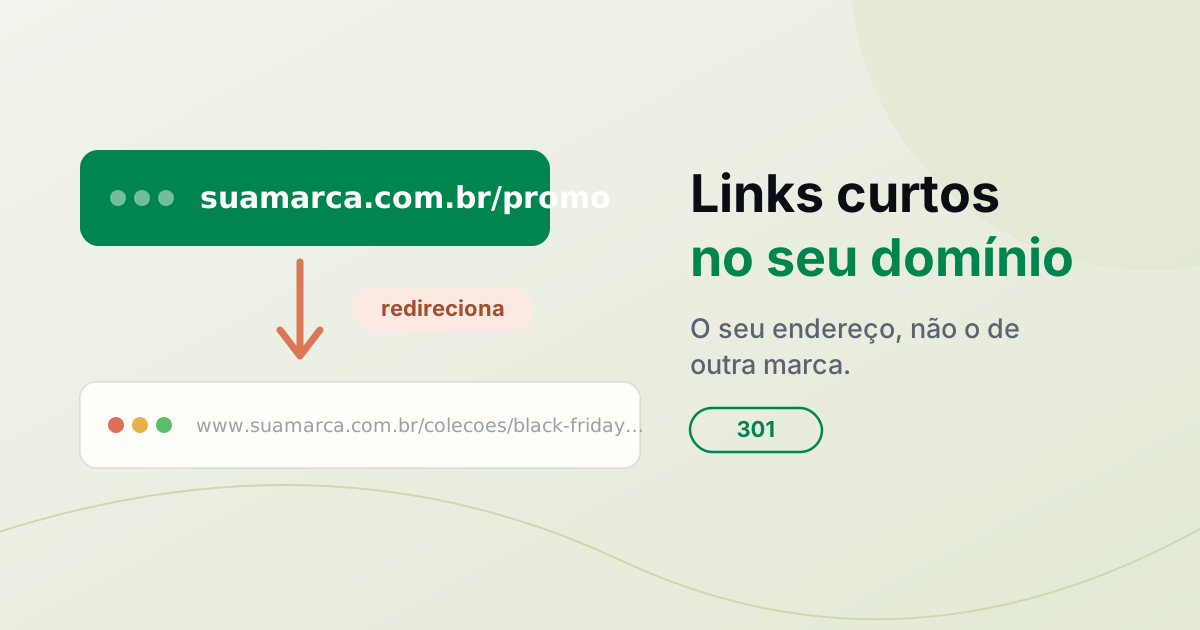
A URL shortener on your own domain: create branded short links with HTTPS and per-link stats, and see how it differs from bit.ly.
VTEX store without www: how to set up a redirect
Your VTEX store opens with www but fails without it? Learn why and set up an HTTPS redirect while keeping your working store address.
How to redirect a domain without buying hosting
Redirect one domain to another website or URL over HTTPS, without buying hosting. See the options, what to keep active, and how to set up DNS.
Need help?
Feel free to reach out to us with any questions. We're here to help! Scan the QR code or click the button below to join our WhatsApp group.
Open WhatsApp →