
Domain forwarding has no HTTPS? Why it happens and how to fix it
Some registrar domain forwarding redirects on HTTP but fails on HTTPS. Here's why it happens and how to redirect with an automatic certificate.
The site opens, but the padlock breaks
You registered a domain, turned on domain forwarding (or URL forwarding) in your registrar's panel, and pointed visitors to your site. You type the address and it works. Until someone opens it with https:// in front, or the browser tries on its own, and up comes "Your connection is not private", a certificate warning, or the not secure message.
The redirect itself is fine: visitors land on the destination when the connection is opened over plain HTTP. The problem is only HTTPS, and today that's the part that matters most, because it's what browsers expect by default. The good news is the cause is well understood and the fix is straightforward.
Why registrar forwarding has no HTTPS
To open an address over HTTPS with the padlock closed, the server that answers has to present a valid certificate for that domain. That certificate is what proves to the browser that it's really talking to yourdomain.com, and not an impostor, before any page loads.
A lot of free registrar forwarding was built for the old, HTTP world. It answers the visitor with a redirect, but it doesn't issue or install a certificate for your source domain. The result: a visit over http:// is redirected fine, and a visit over https:// fails before it ever gets there, because there's no certificate to complete the secure connection. That's the case with Registro.br.
For the technically minded: the TLS handshake happens before the HTTP redirect. The client sends the domain name in SNI and expects a certificate that covers it; if the forwarding service has no certificate for that name, the browser drops the connection and shows the error. The 301 or 302 is never even sent.
Some registrars have started to apply HTTPS to forwarding. Even so, the feature comes with a condition: it only works when the domain's nameservers (NS) point to that registrar. If your DNS lives elsewhere (Cloudflare, your hosting), the forwarding — with or without HTTPS — never kicks in.
At Registro.br, URL forwarding delivers no HTTPS. This guide is for that case, and also for when your DNS isn't at the registrar or when you need more than a bare redirect.
Why it got worse recently
A domain that only redirected used to be able to live on HTTP with no complaints. That changed. From Chrome 154 (October 2026), the browser asks for permission before opening an address without HTTPS, including domains that only redirect. To the visitor, your domain now looks broken or unsafe on the very first attempt.
We covered that change in Chrome now warns before opening sites without HTTPS. The point here is simple: a redirect without HTTPS, which used to slip by, now turns into a warning in the face of anyone typing your address.
What Registro.br's forwarding doesn't solve
HTTPS is the most visible problem, but not the only one. Registro.br's URL forwarding was built for the simplest case — the whole domain pointing to one address — and beyond that it hits limits fast:
| Limit of Registro.br's forwarding | With a redirect service |
|---|---|
| Covers only the domain (apex). You can't redirect just one subdomain, like social.example.com, while keeping the rest of the zone's records. | You redirect a specific subdomain with a single record, and the rest of the zone stays in your DNS. |
| Uses 302 (temporary) only. On a domain migration, Google keeps the old address indexed and doesn't pass the ranking. | You pick 301 (permanent) or 302, to fit the case. |
| Doesn't work with advanced DNS. Either you edit the zone, or you use the forwarding — not both. | Works on any DNS (advanced, or Cloudflare): it's just one record. |
| Delivers no HTTPS on the source domain, so secure access fails. | Your domain's certificate is issued and renewed automatically. |
The 302 point is worth stressing: if you're changing domains, a temporary redirect hurts SEO. See the difference in 301 vs 302 and the full process in how to change domains without losing your ranking.
Your options
There's more than one way to make your domain redirect with HTTPS. It's worth knowing them all before you choose, because not all of them mean paying for something:
There's no single right choice. If you already use Cloudflare and are comfortable in its panel, the redirect rules solve this for free. If you just want the address live over HTTPS without managing advanced DNS or a server, a redirect service is more direct.
How to redirect with HTTPS
The idea, in any dedicated service, is the same: stop using the registrar's forwarding and instead point the domain's DNS at a service that issues the certificate and answers the redirect. On Redirect-301 it goes like this:
- Open the Redirect-301 dashboard and add a redirect.
- Enter the source domain, without
https://and without a path. Choose goes to another site and type the full destination URL, withwww.where it applies. - For a permanent change, answer Yes to Is this a permanent change? (301). For a temporary campaign, answer No (302).
- At your DNS provider, remove the registrar's old forwarding and create the A record with the value shown on the redirect's page.
- Wait for DNS to propagate. The HTTPS certificate is issued automatically, with nothing for you to generate or install.
- Test the address over
https://, overhttp://, and check the destination is right.
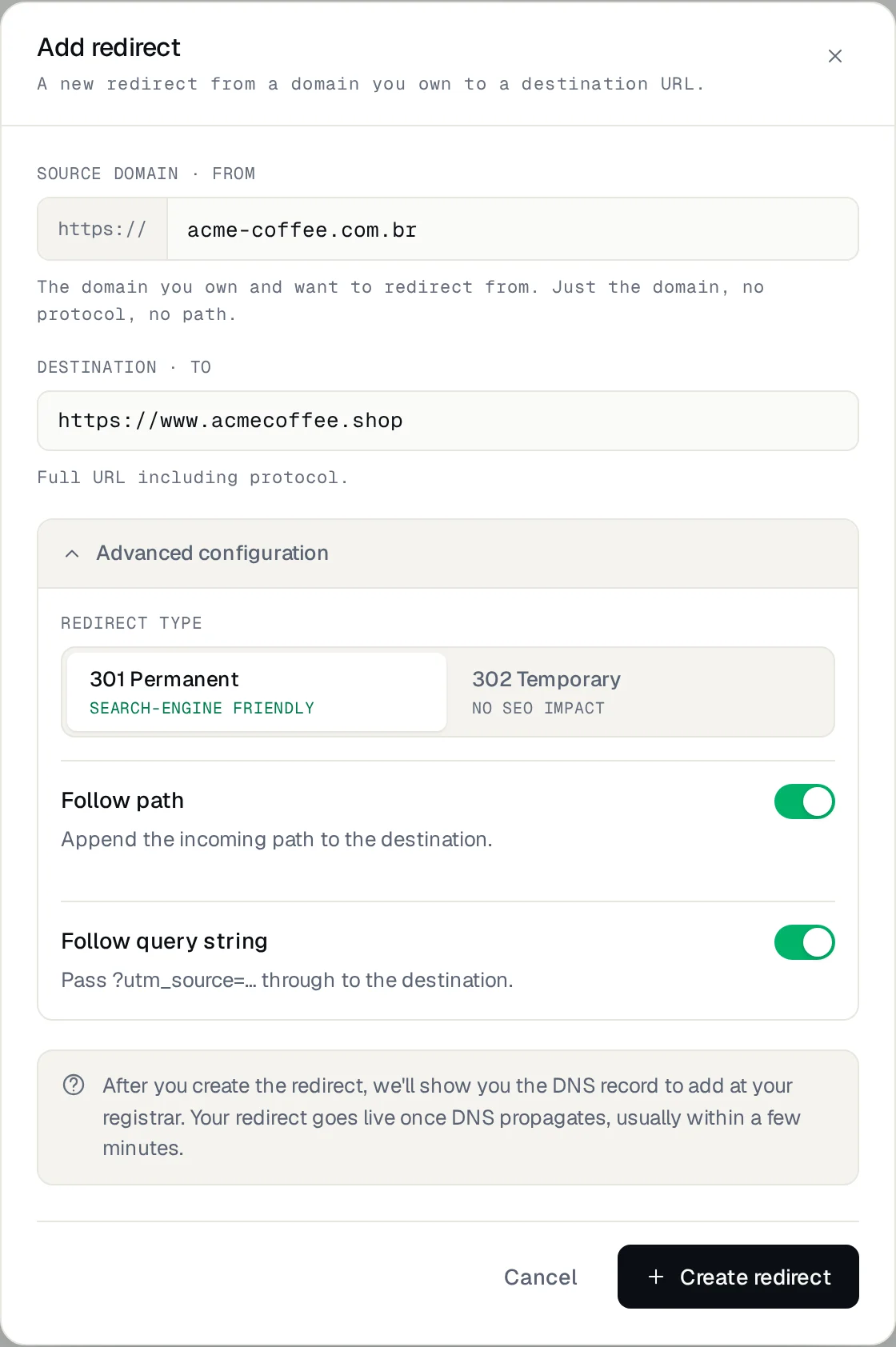
The DNS part is the one that deserves care, because it's where the registrar's forwarding is swapped for the new record. The detailed walkthrough, including what to preserve (email, other records) and how to handle Cloudflare, is in how to redirect a domain without hosting.
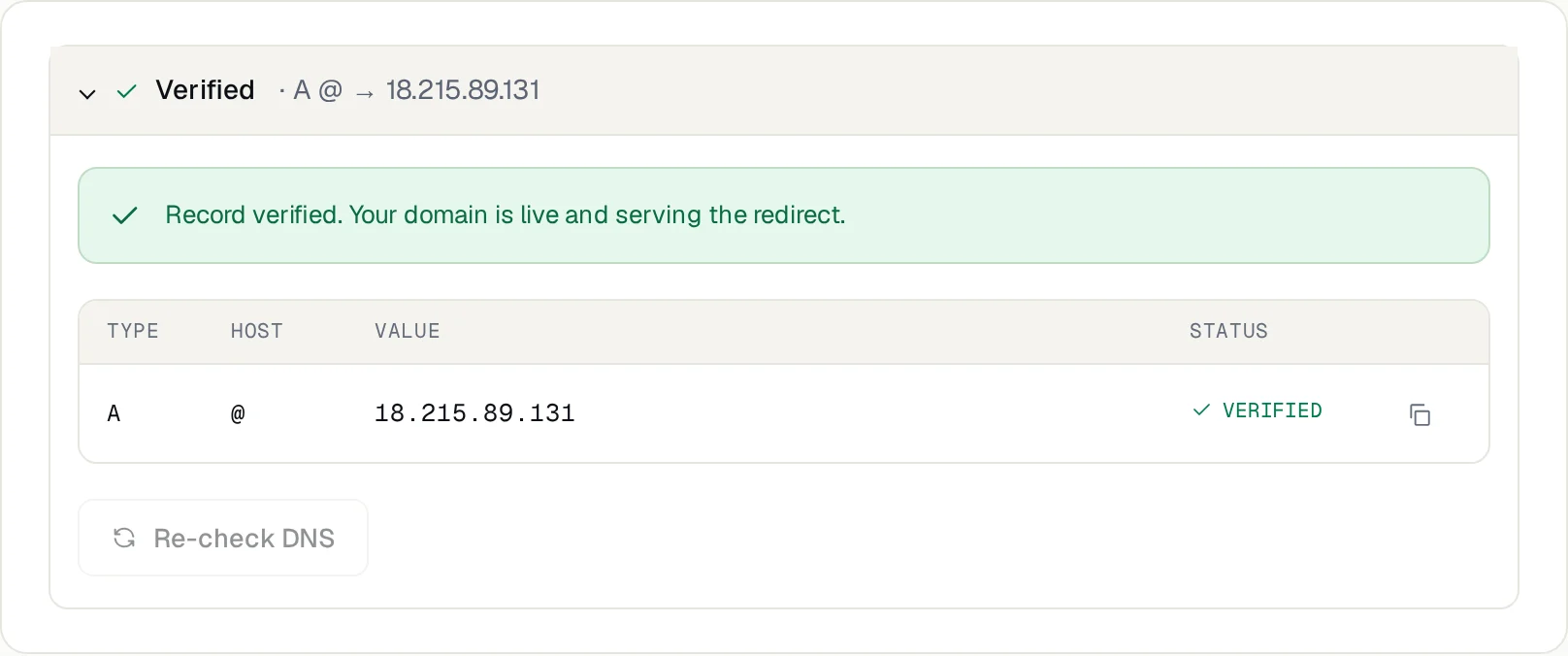
The certificate is for your domain and renews on its own as long as DNS keeps pointing at the service. You don't need to track expiry or renew anything by hand.
What to do at Registro.br
Given the limits above, to go past the bare domain, use a 301 or get HTTPS, you swap the forwarding for DNS: in the Registro.br panel, disable the URL forwarding and create the A record (or a CNAME, for a subdomain) with the value shown in the Redirect-301 dashboard. Keep the email records (MX).
Before touching DNS, check what each record serves. Don't change the nameservers or delete the zone without a plan. Preserve MX, TXT and the records your email uses.
Frequently asked questions
Why does domain forwarding open over HTTP but fail on HTTPS?
Because plain registrar forwarding doesn't issue a certificate for your source domain. HTTPS needs that certificate before any page loads; without it, the browser drops the connection and shows the warning. An HTTP visit, which needs no certificate, is redirected fine.
Does Registro.br forwarding have HTTPS?
No. Registro.br's URL forwarding serves only the bare domain, uses 302 only and installs no certificate for your domain, so HTTPS access fails. For the padlock, swap the forwarding for an A record pointing to a service that issues the certificate.
Do I need hosting to fix this?
No. You need a domain of your own and access to its DNS. A redirect service answers for the domain, issues the certificate and redirects, without you running a server.
Can I fix it for free with Cloudflare?
Yes. Cloudflare issues a certificate and has redirect rules on its free plan. You do have to move the domain's nameservers to Cloudflare and set up the rules. It's a valid alternative if you're comfortable managing DNS there.
Does this affect SEO?
A 301 redirect over HTTPS is the ideal case for Google. What hurts is the address having no HTTPS: browsers warn and visitors leave. See the difference between 301 and 302 in 301 vs 302.
Why is it only a problem now?
Because browsers now expect HTTPS by default. From Chrome 154, it warns before opening addresses without HTTPS, including ones that only redirect. A forwarding with no padlock, which used to pass, now triggers a warning.
Get your domain live over HTTPS
If your registrar's forwarding is throwing an HTTPS error, the way out is to swap it for a redirect that issues your domain's certificate. Set it up in the Redirect-301 dashboard and follow the screens in the configuration guide.
Keep reading
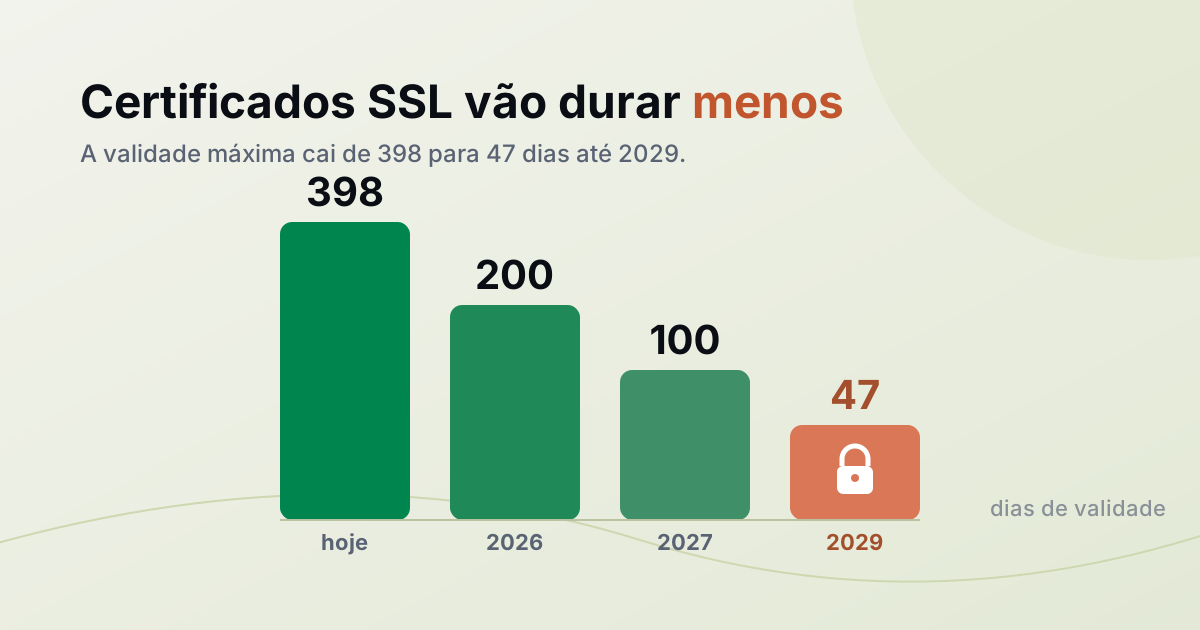
SSL certificates are getting shorter, down to 47 days. What changes for your site?
The maximum SSL certificate lifetime drops to 47 days by 2029. Here's why, what changes for your site, and why manual renewal is over.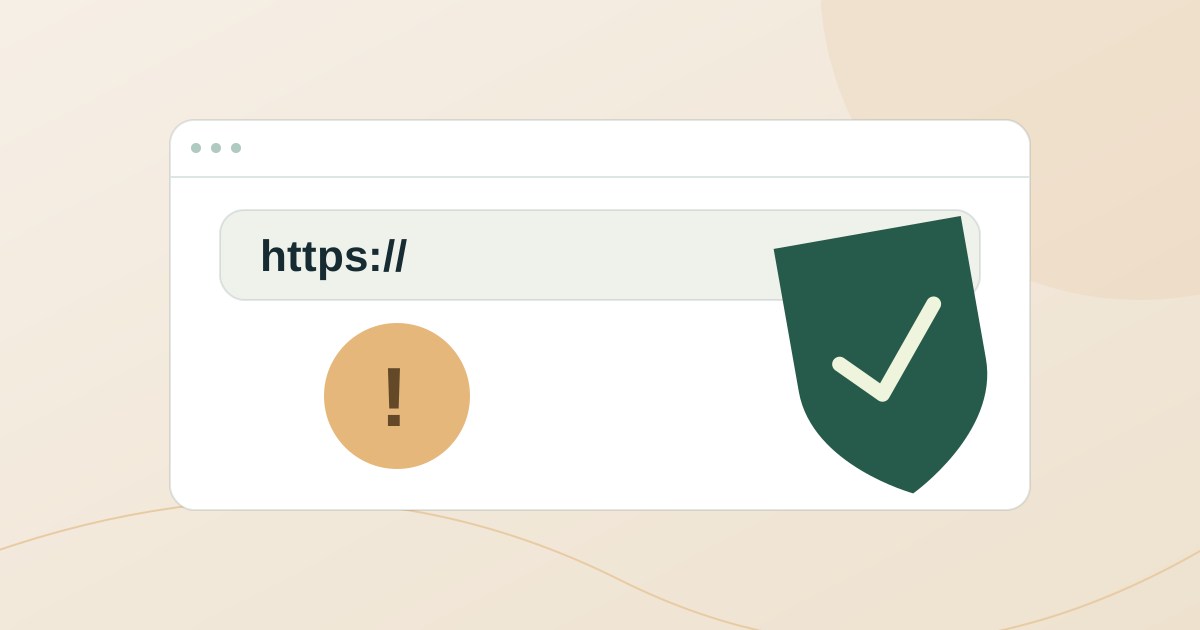
Chrome now warns before opening sites without HTTPS: is your domain ready?
Since Chrome 154 (October 2026), Chrome asks before opening a public site without HTTPS, even domains that only redirect. Here is how to check yours.
HTTPS and the domain without www: why the root needs a redirect
Browsers hide "https://" and "www", so people type just mysite.com. Here is why that address needs HTTPS and a redirect, and how to check yours.
Need help?
Feel free to reach out to us with any questions. We're here to help! Scan the QR code or click the button below to join our WhatsApp group.
Open WhatsApp →