301 vs 302 redirect: which one to use?
The difference between a 301 (permanent) and a 302 (temporary) redirect, when to use each, what changes for SEO, and the most common mistakes.
Quick summary
Both send the visitor from one address to another. The difference is the message you give the browser and Google: a 301 says "this address has moved for good", and a 302 says "go there for now".
| 301 (permanent) | 302 (temporary) | |
|---|---|---|
| Meaning | The address moved for good | A temporary detour |
| Shows the destination and passes its ranking signals to it | Keeps showing the original address | |
| Browser | Caches the redirect | Asks again on every visit |
| Use for | Root domain to www, domain change, platform migration | Campaigns, maintenance, destinations that will change |
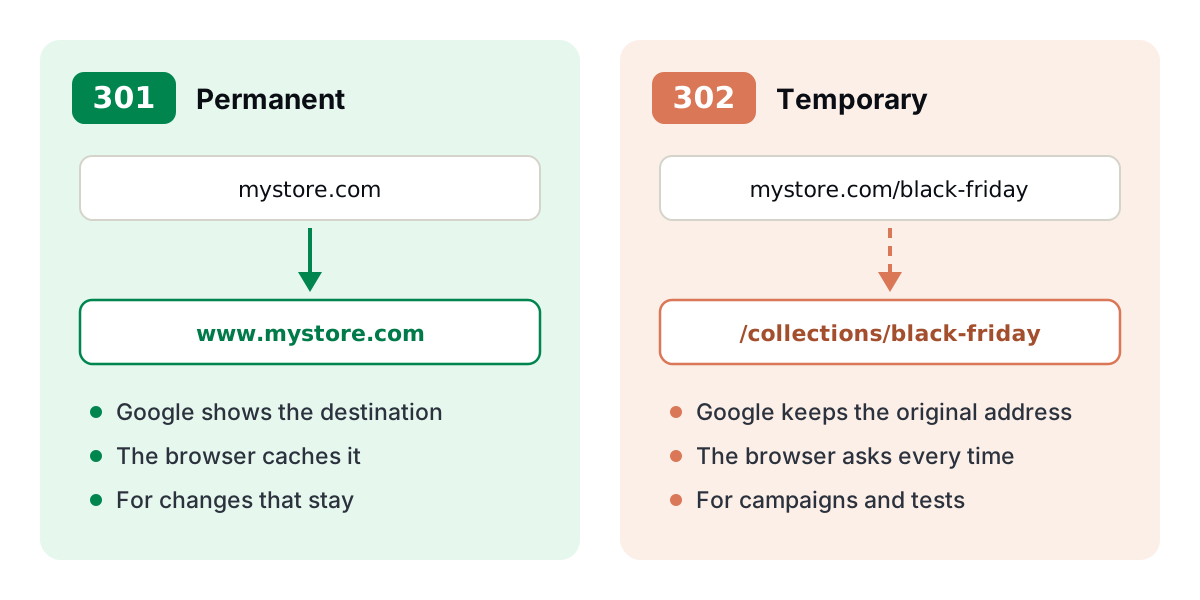
When in doubt: if you don't plan to go back, use a 301.
When to use a 301
Use a 301 whenever the old address won't be used again. Google treats the destination as the replacement for the old page and passes it the ranking the old page had (links, history, position in search results).
When to use a 302
Use a 302 when the original address will be used again, or when the destination changes often. Google keeps showing the original address in search results.
If a 302 stays in place for a long time, Google may end up treating it as permanent. If the change became final, switch it to a 301.
Common mistakes
How to test
In a terminal, curl -I shows the status code and the destination without following the redirect:
$ curl -I https://mystore.com
HTTP/2 301
location: https://www.mystore.com/
In the browser, open the developer tools (F12), go to the Network tab and visit the address: the first row shows the 301 or 302 status.
Browsers cache 301s. After changing a redirect, test in a private window to see the new behavior.
How to set it up on Redirect-301
On Redirect-301, each domain has its own redirect type, and each custom path can have its own. A typical store setup:
| Address | Destination | Type |
|---|---|---|
mystore.com | https://www.mystore.com | 301 |
mystore.com/black-friday | /collections/black-friday | 302 |
mystore.com/whatsapp | https://wa.me/15551234567 | 301 |
The SSL certificate is issued automatically, so the redirect also works with https://. The step-by-step with screenshots is in the configuration guide.
Frequently asked questions
Does a 301 hurt SEO?
No. It is exactly how Google recommends changing an address without losing your ranking.
Can I change a 301 to a 302 later?
Yes, but people who already visited the address may keep going to the old destination for a while, because their browser cached the 301. So use a 302 while you're not sure yet.
What about 307 and 308?
They are newer versions of 302 and 301 that make the browser repeat the same kind of request (important for APIs and forms). For store pages, 301 and 302 are enough.
How long should I keep a redirect?
At least a year for a domain change or migration. The root-domain-to-www one should stay forever.
Need help?
Feel free to reach out to us with any questions. We're here to help! Scan the QR code or click the button below to join our WhatsApp group.
Open WhatsApp →