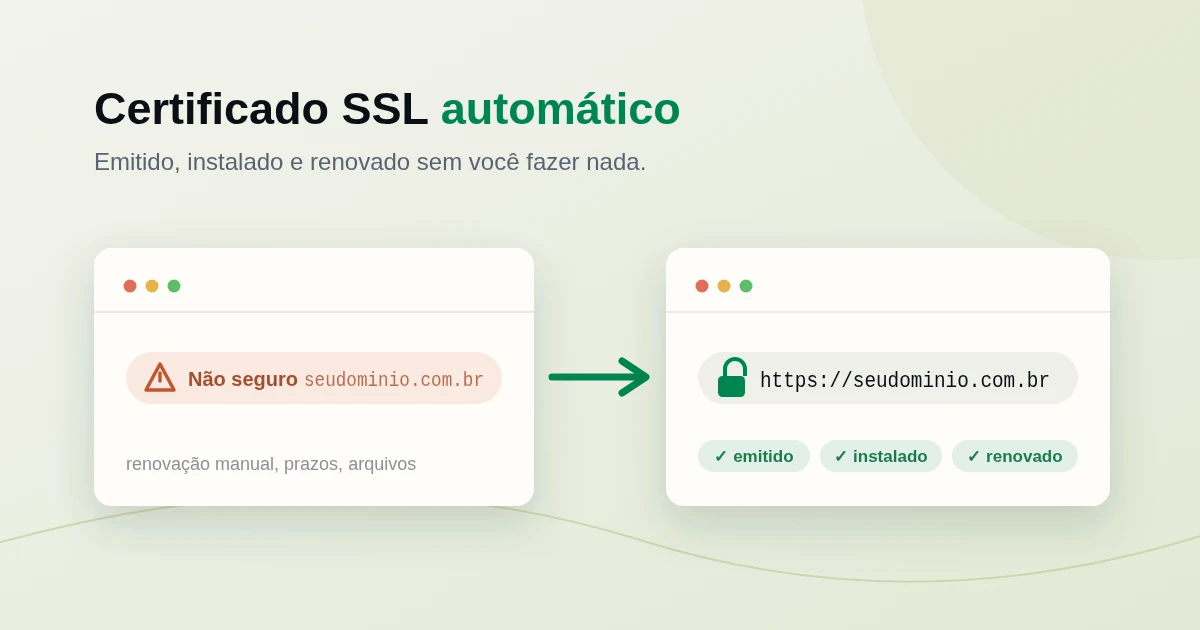
Automatic SSL certificate for your domain
How an automatic SSL certificate protects your redirects, avoids browser warnings and removes manual renewals from your domain.
The "Not secure" warning costs clicks
A domain that opens with a “Not secure” warning loses more than credibility. It can stall a campaign, cut clicks on a printed QR code and add friction right when someone was ready to see your content. An automatic SSL certificate prevents this by issuing, installing and renewing HTTPS without you tracking expiry dates, generating files or running a server.
If you use domains for redirects, security isn't a technical detail. It's part of the visitor's path. When oldbrand.com, a short link or a campaign URL has to take someone somewhere else, the visit must work over HTTPS from start to finish, including when someone types the address without www, opens an old link or scans a QR code on their phone.
What an automatic SSL certificate solves
An SSL certificate confirms there is an encrypted connection between the browser and the domain being visited. In practice, it turns on the padlock in the browser and lets the URL load over HTTPS. Without a valid certificate, modern browsers can show warnings, block resources or make the visitor give up before reaching the destination.
The catch is that certificates expire. In a manual setup, someone has to issue the certificate, validate the domain, install the files on the server and repeat all of it before the expiry date. That seems simple for a single site. It becomes a fragile routine when there are several domains, short-lived campaigns, redirects from old brands or QR codes that will stay in circulation for years.
With automation, that job leaves the team's calendar. The platform checks the domain's setup, issues the certificate and handles the renewals. The domain stays available over HTTPS with no recurring task for marketing, IT or development.
A valid certificate isn't enough: the redirect has to be right too
A certificate handles the security layer, but it doesn't fix a badly configured redirect. The two work together. HTTPS lets the visit start without a warning. The HTTP 301 redirect permanently takes visitors and search engines to the right address.
Imagine a company moving from oldcompany.com to newbrand.com. Sending every visit to the new site's home page isn't ideal. An old page should keep pointing to the matching page on the new domain, when that structure still exists:
If there are campaign parameters, like UTMs, they need to be kept too, so your measurement stays accurate.
This is where many improvised redirects fail. Someone sets a generic destination, forgets the www version, doesn't cover HTTPS or drops URL parameters. The visitor ends up somewhere, but the experience is confusing and the campaign data no longer reflects the real path.
A good setup keeps three things under control: the domain answers over HTTPS, the redirect code is 301 when the move is permanent, and the URL path, along with its parameters, carries over to the destination when needed.
How an automatic SSL certificate works in practice
The process can be much smaller than it looks. Instead of paying for hosting just to redirect a domain, setting up a web server and managing certificates, you point your DNS to the infrastructure that does that work.
On a managed redirect platform, the sequence is usually straightforward: add the domain, set the destination and create the DNS record you're shown. Once it propagates, the platform can validate that you control the domain, issue the certificate and serve visits over HTTPS.
One DNS record. That's all the essential setup on your side. There's no certificate file to download, no private key to store and no server command to run.
Issuing may not be instant, because it depends on DNS propagation and domain validation. That's normal. What matters is that after the first activation, renewals keep being handled automatically. The team doesn't need expiry reminders in the calendar, and doesn't find out about a problem only after a browser shows a warning to the public.
What has to be right in your DNS
Automation doesn't remove the need for correct DNS. It removes the infrastructure work after that step. If the domain still points to an old host, if there are conflicting records, or if the change was made on a different subdomain than planned, the certificate validation may not go through.
Before you publish a change, check which version of the domain will be used: the root domain, www or both. Also confirm the destination is right and that you haven't left an old rule competing with the new setup. For domains used in ads, emails and printed material, test in a private window and on a phone before you share them.
On Redirect-301, the record is an A record with the value shown in your dashboard. The root domain and www are two redirects, each with its own record. Using Cloudflare? Set the record to DNS only (grey cloud), or the certificate can't be issued. The details are in the configuration guide.
When automation makes the biggest difference
On small projects, renewing a certificate by hand may seem bearable. The risk grows when the domain stops being just a website and becomes a distribution point. Campaigns, short links, link-in-bio pages, QR codes and migrations pile up URLs that have to keep working without anyone stepping in.
An agency managing domains for several clients, for example, shouldn't depend on a spreadsheet of expiry dates to keep redirects running. A company going through a rebrand can't risk launching the new brand while visits to the old one show a security warning. And anyone printing QR codes on packaging, business cards or event material needs a stable URL, even if the destination changes later.
In these cases, the value of automation isn't just saving a few minutes. It's having fewer points of failure. Fewer server credentials, fewer manual processes, less chance of a certificate expiring in the middle of a high-traffic campaign.
Limits and care that still apply
Automating SSL doesn't replace URL decisions. You still have to choose whether the redirect is permanent, what the destination is and how to keep the page structure. A 301 is meant for permanent changes, like a domain change or merging versions of a brand. For truly temporary actions, a different approach may make more sense.
It's also not a good idea to point a domain at any URL without checking the destination. A typo, a removed page or a chain of several redirects can slow loading and hurt the experience. The best case is a single hop: direct, secure and tested.
Finally, HTTPS protects the connection, but it doesn't make a destination trustworthy on its own. If the final link is down, out of date or doesn't work well on phones, the certificate won't fix that. Security and operations have to go hand in hand.
A domain can stay useful after a migration
Old domains don't have to become dead weight after a rebrand or a platform change. With a 301 redirect and automated HTTPS, they keep catching visits from search results, bookmarks, printed material and links shared over time.
Redirect-301 is built for exactly this: you point the DNS, set the destination and keep the domain secure with no server to manage and no certificate to renew. When you need it, you can also turn the domain into a link page, shorten URLs, change where QR codes go and track visits, all in one place.
The best certificate is the one nobody on your team has to remember to renew. That way the domain keeps doing its job: receiving the click, keeping trust and taking each person to the right place. To get started, add your domain in the Redirect-301 dashboard and follow the configuration guide.
Keep reading
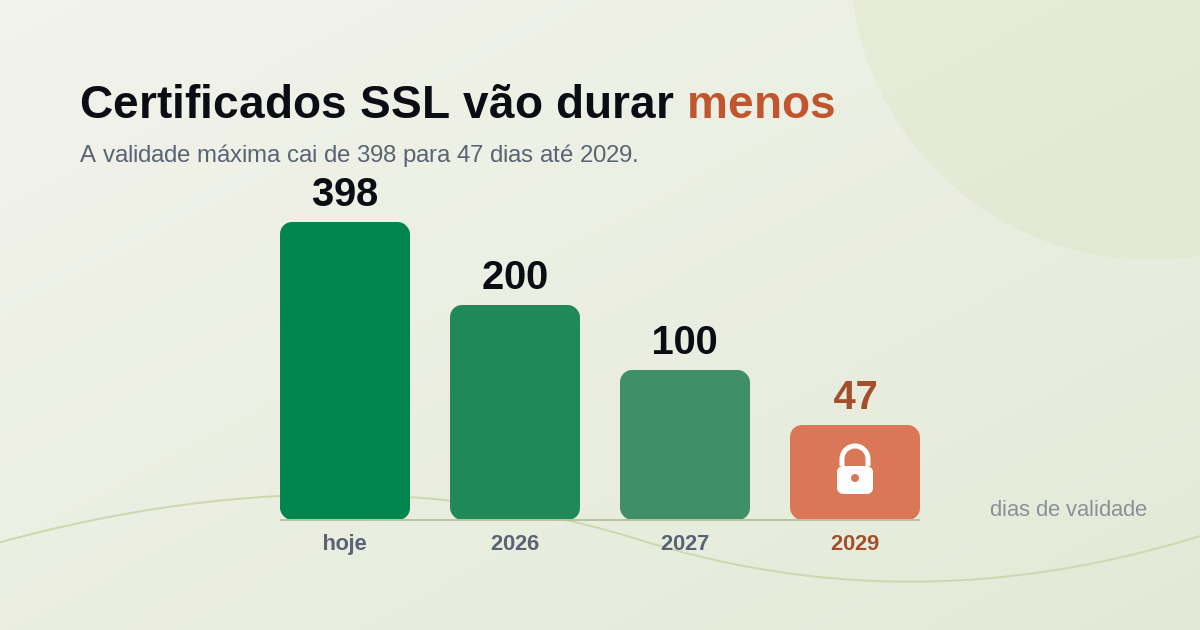
SSL certificates are getting shorter, down to 47 days. What changes for your site?
The maximum SSL certificate lifetime drops to 47 days by 2029. Here's why, what changes for your site, and why manual renewal is over.
Domain forwarding has no HTTPS? Why it happens and how to fix it
Some registrar domain forwarding redirects on HTTP but fails on HTTPS. Here's why it happens and how to redirect with an automatic certificate.
Chrome now warns before opening sites without HTTPS: is your domain ready?
Since Chrome 154 (October 2026), Chrome asks before opening a public site without HTTPS, even domains that only redirect. Here is how to check yours.
Need help?
Feel free to reach out to us with any questions. We're here to help! Scan the QR code or click the button below to join our WhatsApp group.
Open WhatsApp →