What's new in Redirect-301: Pages and redirect templates
Build a link-in-bio page that lives on your own domain, and set up a destination and custom paths once for many redirects with redirect templates.
Two new features
This time there are two features: Pages, to publish a link-in-bio page on your own domain, and redirect templates, to configure many redirects at once. The page of each redirect also got simpler along the way.
Pages: your link-in-bio, on your domain
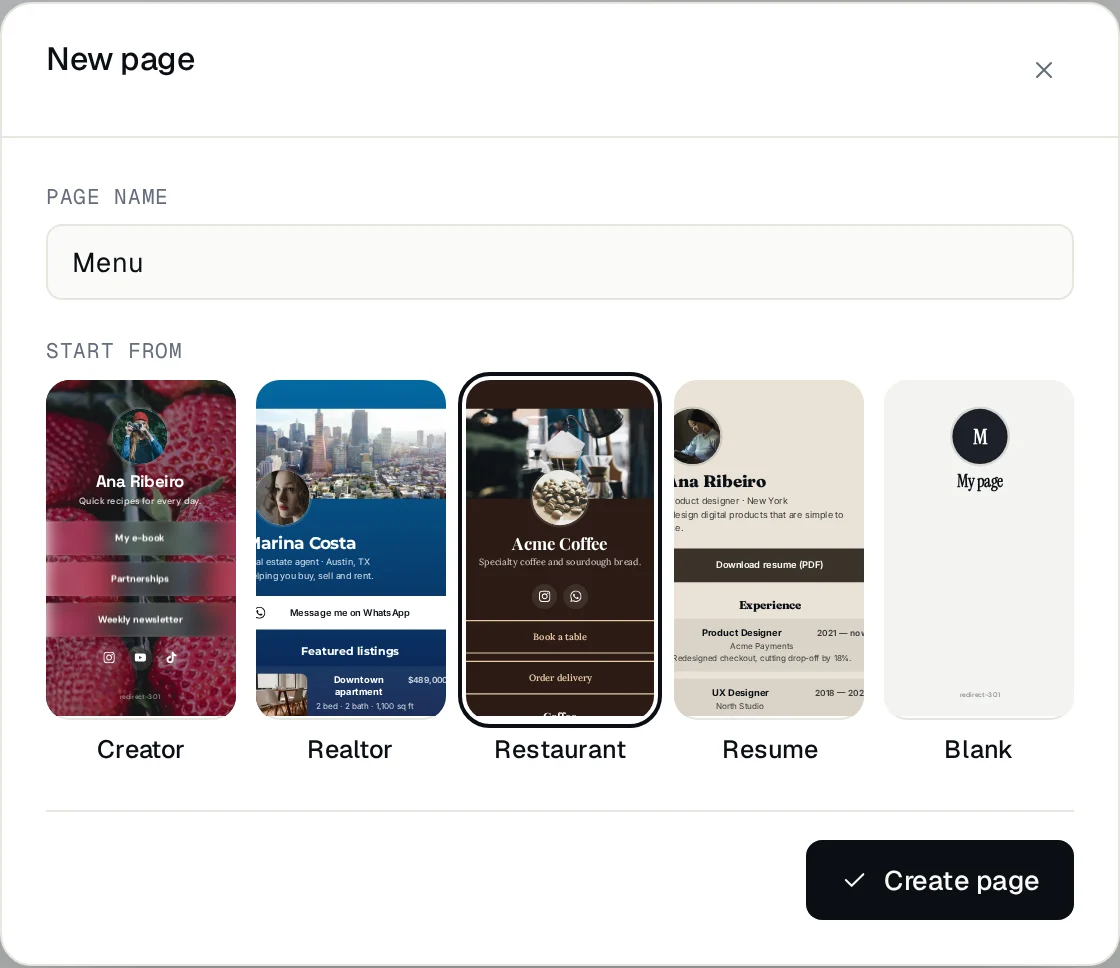
A page gathers your links, social icons, a menu, listings or a resume at an address like your-domain.com/links, instead of on someone else's site. Visitors get it right at that address, over HTTPS.
- Click Pages in the sidebar, then New page, and pick a starter: Creator, Realtor, Restaurant, Resume or Blank.
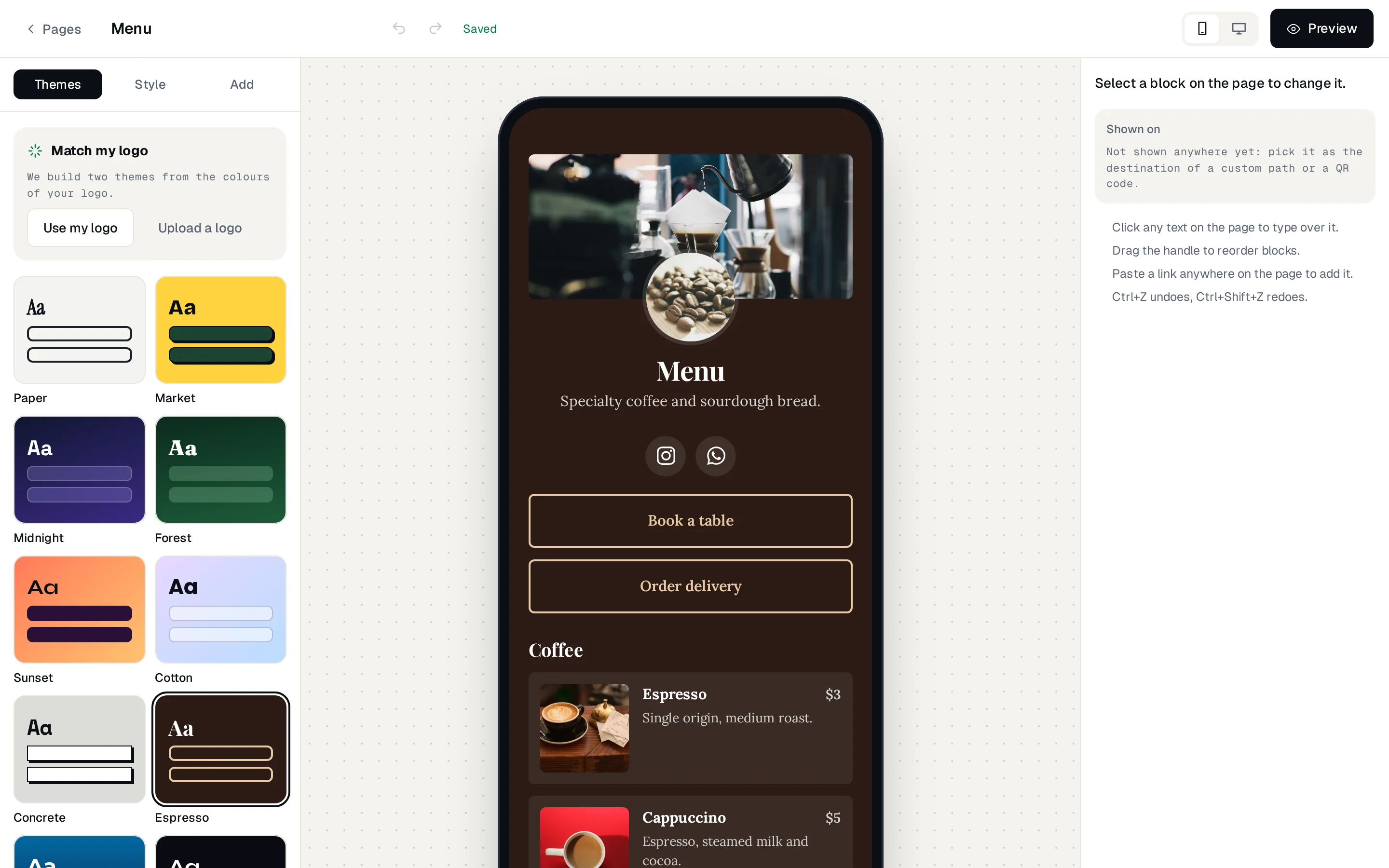
- Edit right on the page: click any text to change it, drag blocks to reorder them, and add buttons, photos, video or music.
- Show it: point a custom path (like
/links) or a QR code to the page.
Redirect templates
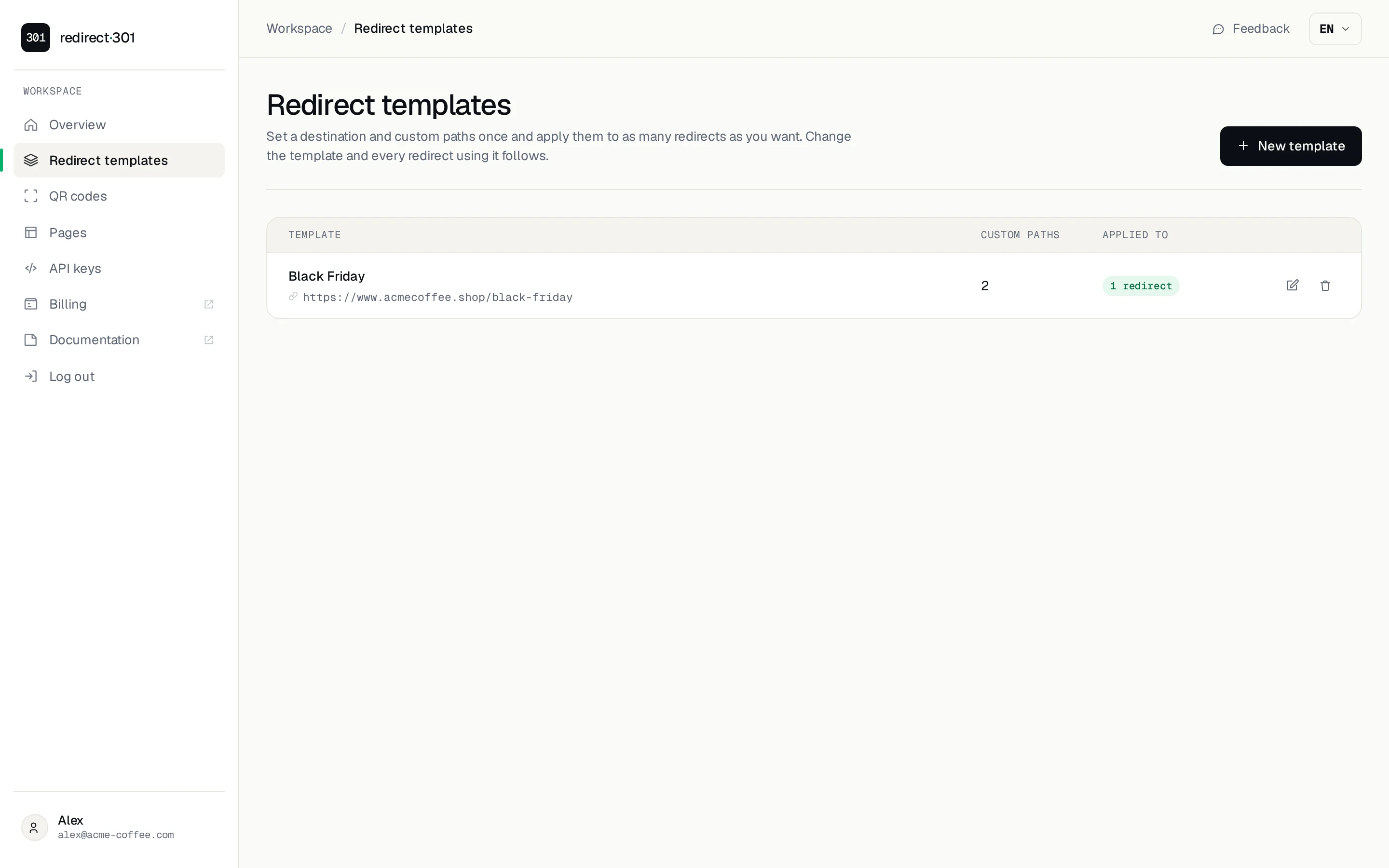
If you run several domains that should behave the same way (brands of one company, the domains of a seasonal campaign, typo domains), you no longer need to configure each one. A redirect template holds a destination, its options and custom paths once, and every redirect using it follows.
- Click Redirect templates in the sidebar and create one, for example
Black Friday. - Set the destination, the redirect type and the custom paths, as you would on a redirect.
- On each redirect, in The domain … uses, pick the template instead of Its own settings.
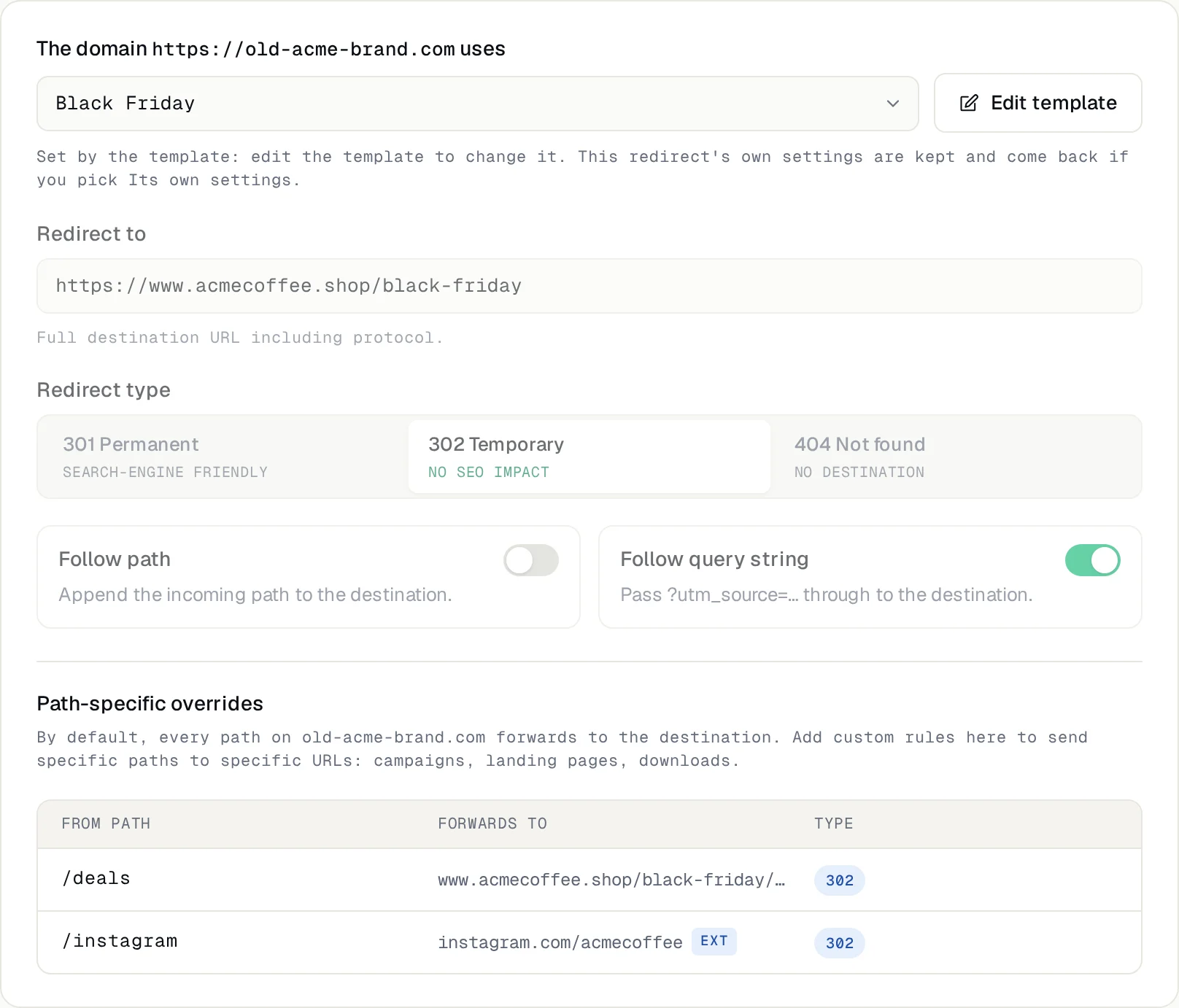
When the campaign ends, edit the template once and every domain changes within a few minutes. Or switch a redirect back to Its own settings: its destination and custom paths were kept, untouched.
Also new
Tell us what you need
Both features came from requests from people using Redirect-301. Use the Feedback button in the dashboard or talk to us on WhatsApp. Every step is in the configuration guide.
Need help?
Feel free to reach out to us with any questions. We're here to help! Scan the QR code or click the button below to join our WhatsApp group.
Open WhatsApp →